Video studio
AI Reference to Video
Build a shot around reference material rather than words alone. References can communicate a subject, visual style or movement that is difficult to describe precisely. Genreel brings compatible inputs and a written direction into one model-specific workflow.

A clearer creative process
Give every reference a clear role
A character reference should show recognizable traits. A setting reference should make the light or layout easy to read. If two sources disagree, write which one governs each part of the new shot. Compare identity and scene continuity separately.
Example brief: Use the character reference for the red coat and round glasses. Use the station reference for lighting and architecture. Show the character crossing the empty platform.
Three steps. Your direction.
How to brief a reference-guided shot
Choose a reference role
Decide whether each asset should guide the character, the location or the look.
Write the new shot
Describe the action and specify which attributes to carry forward from the references.
Check continuity
Review repeated details such as silhouette, wardrobe and lighting without expecting an exact match.
Good questions
A few things to know.
Is a reference image the first frame?
A reference can guide a look or subject without defining the exact opening frame. Use Image to Video when one image should establish the starting shot.
Can I provide a reference clip?
Some models accept video references. Check the selected model before preparing or uploading a clip.
What if two references conflict?
Give each a different job. For example, use one for wardrobe and the other for lighting, then say so in the prompt.
How do I keep the same character across shots?
Keep the same authorized references and describe two or three visible traits consistently. Evaluate each shot for changes before using it.
Should I add every available reference?
Start with the clearest assets. Add another reference only when it provides information the model is missing.
Go a little deeper
Notes for your next creation.

Start with the right material
First decide what each reference is meant to control. A character image can define appearance, while a scene image can define atmosphere. Reference types and counts depend on the selected model; check its requirements before uploading.
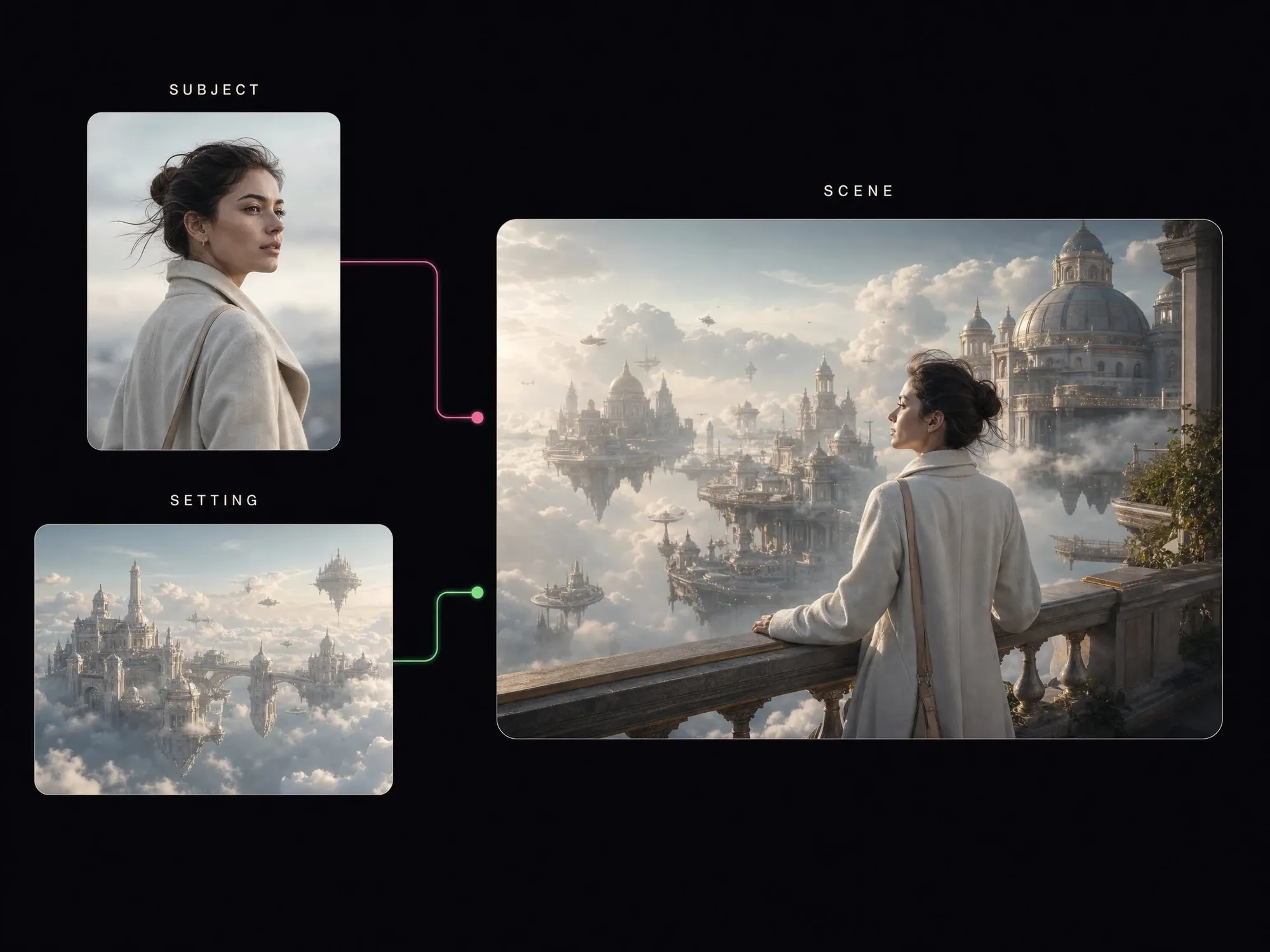
Give the model a useful direction
Explain the role of each input and write a short action brief. Avoid giving contradictory references equal priority. If two sources differ in lighting or viewpoint, state which qualities the new shot should follow.
Review the details that matter
Check which reference details survived and which drifted. Evaluate subject consistency, scene composition and movement separately. Save the reference order with the prompt when comparing versions.