avatar studio
AI Video Dubbing for Existing Clips
Prepare a new spoken performance for a person in a video. Dubbing requires the source shot, the replacement script or audio, and a decision about timing and delivery.
A clearer creative process
Fit the new line to the speaker's timing
Mark where the original speaker begins, pauses and ends. Rewrite the new line so it can be spoken naturally in that window. Play it back with the picture before checking individual consonants and movement around cuts.
Example brief: Replace a short welcome line in an authorized speaker clip. Match the pause after the first sentence and review the last visible mouth closure.
Three steps. Your direction.
How to add new speech to a clip
Choose a speaker clip
Pick footage where the speaker and mouth are easy to see.
Prepare the new line
Use a short script or supported audio that fits the visible speaking time.
Review the dub in context
Compare pacing and mouth movement, particularly around pauses and edits.
Good questions
A few things to know.
Does Video Dubbing automatically translate a clip?
This workflow adds new speech to footage. Prepare the script or audio in the language you need and check the model's supported inputs.
What if my new line is longer than the original?
Shorten or rewrite the line so it fits the visible speaking time. Avoid rushing the performance to fit every word.
Will it work when a speaker turns away?
Mouth motion is harder to evaluate when the face is hidden. Start with a clip where the speaker remains visible.
Can I replace background music with this tool?
Dubbing focuses on speech. Use a separate audio editor for precise mixing or replacement of background tracks.
How is this different from Talking Photo?
Video Dubbing starts with existing video. Talking Photo creates a speaking clip from a still portrait.
Start with the right material
Choose footage you have permission to dub. Check the selected model’s supported speech inputs and video requirements. Prepare the replacement message with the original shot length in mind.
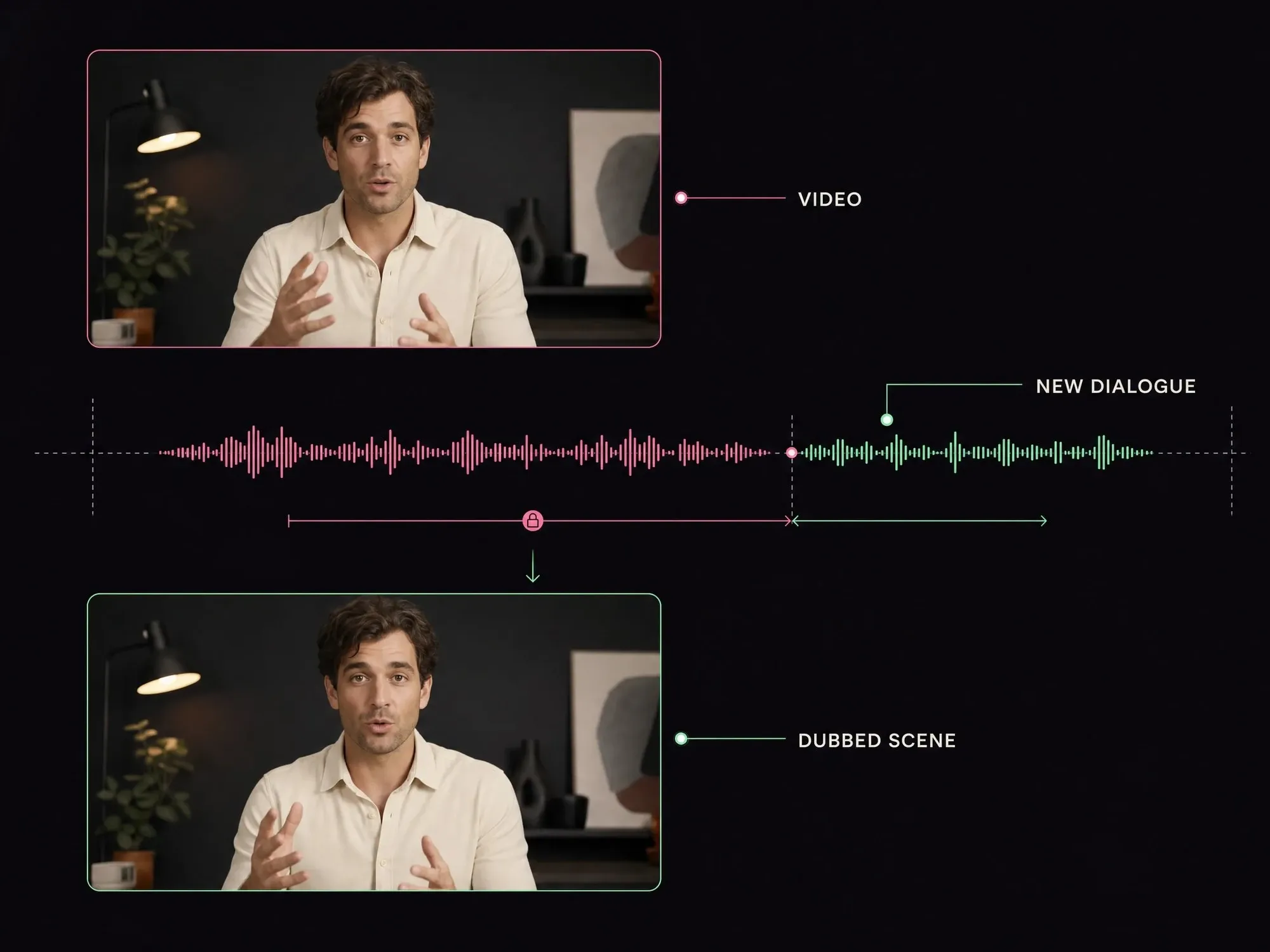
Give the model a useful direction
Match the pace of the script to the visible performance. Shorten awkward sentences before forcing them into a tight speaking interval. Decide whether the goal is a new message or a different-language version.
Review the details that matter
Listen for intelligibility and check speech timing against the image. Review pronunciation, facial artifacts and whether the new message could misrepresent the speaker’s views.