Character and avatar studio
AI Character Replacement for Video
Bring a reference character into an existing performance. Character replacement uses the source action and scene as the starting point while changing the subject’s visual identity.
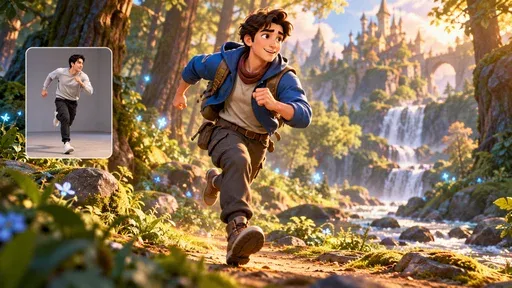
A clearer creative process
Choose a shot where the performer stays readable
Crowds, cuts and objects passing in front of the performer can make replacement harder to judge. Start with a continuous shot and review when the character passes behind props. Inspect body scale and contact with the ground or nearby objects.
Example brief: Replace one performer crossing a marked stage with an original illustrated character. Check foot placement and the moment they pass a chair.
Three steps. Your direction.
How to replace a character in a shot
Pick a source scene
Choose one readable action with a clearly visible performer.
Prepare the new character
Use a supported reference with a clear silhouette that suits the scene.
Check the character in context
Compare the source and output for placement, movement, occlusion and contact with the scene.
Good questions
A few things to know.
Does it replace the full character or just the face?
The workflow is designed around a character in the scene. Use Face Swap for edits focused on facial features.
Can I use a scene with several performers?
Start with a single clear performer. Crowded footage can make it difficult to assess who should change.
Why does the new character look detached from the floor?
Check whether feet or shadows are visible in the source. Try a shot with a clear ground plane and less occlusion.
How is this different from Motion Transfer?
Character Replacement works within existing footage. Motion Transfer animates an image using a movement reference.
What if the character passes behind an object?
Check the output at the point of occlusion. Choose a simpler source if the foreground boundary cannot be kept coherent.
Start with the right material
Prepare a character reference and compatible target video. Choose footage with a clearly visible subject, and check the model’s input and duration requirements before planning the edit.
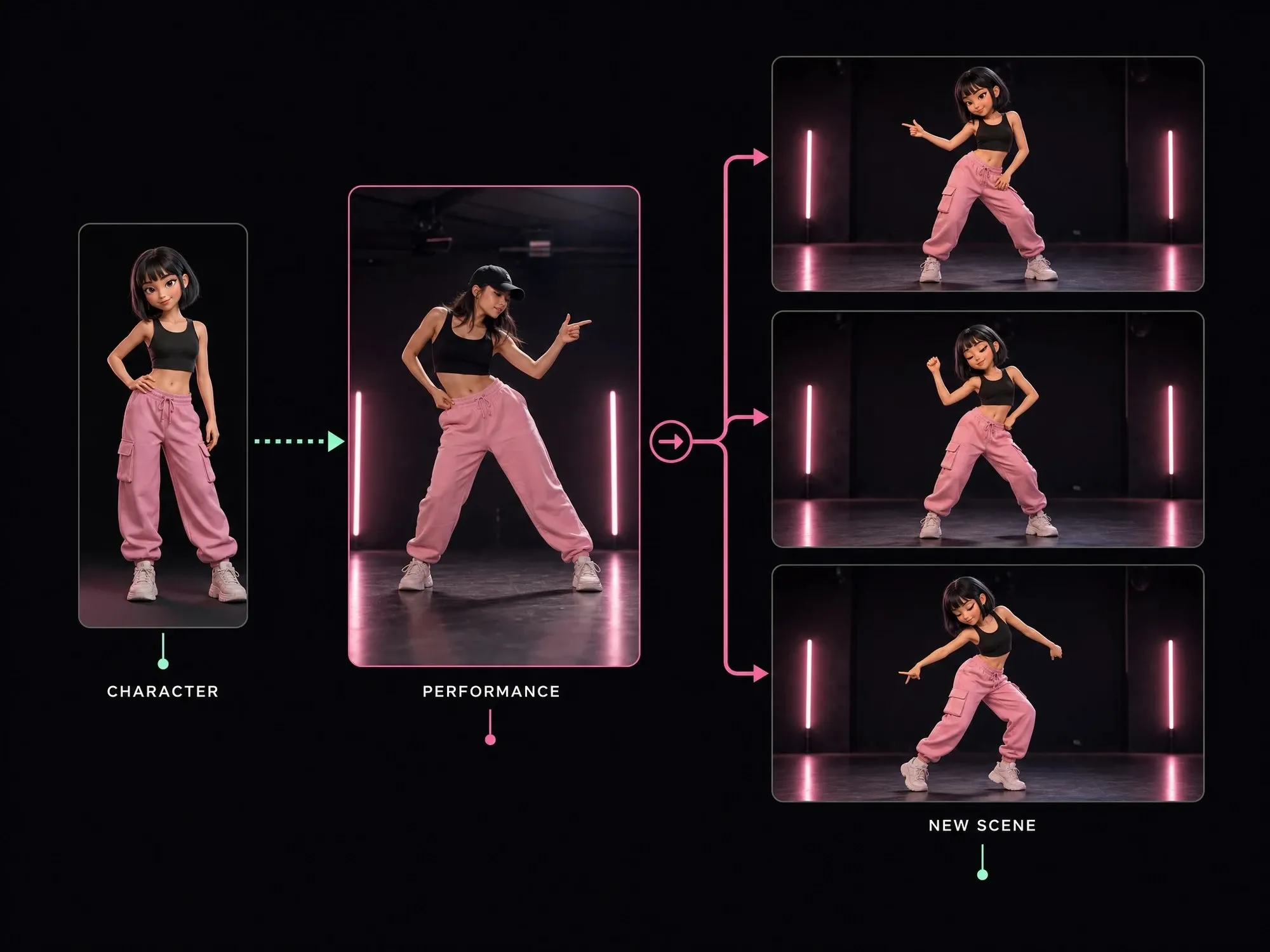
Give the model a useful direction
Describe the reference character’s role and the parts of the original shot that should stay: movement, camera, setting and timing. Avoid changing the environment at the same time when evaluating character consistency.
Review the details that matter
Review occlusions, hands, clothing and movement throughout the shot. Check that the replacement remains coherent when the performer turns or moves behind another object.