How to turn a still image into a story
A practical shot-planning guide: choose one movement, protect the subject, and give the camera a reason to move.
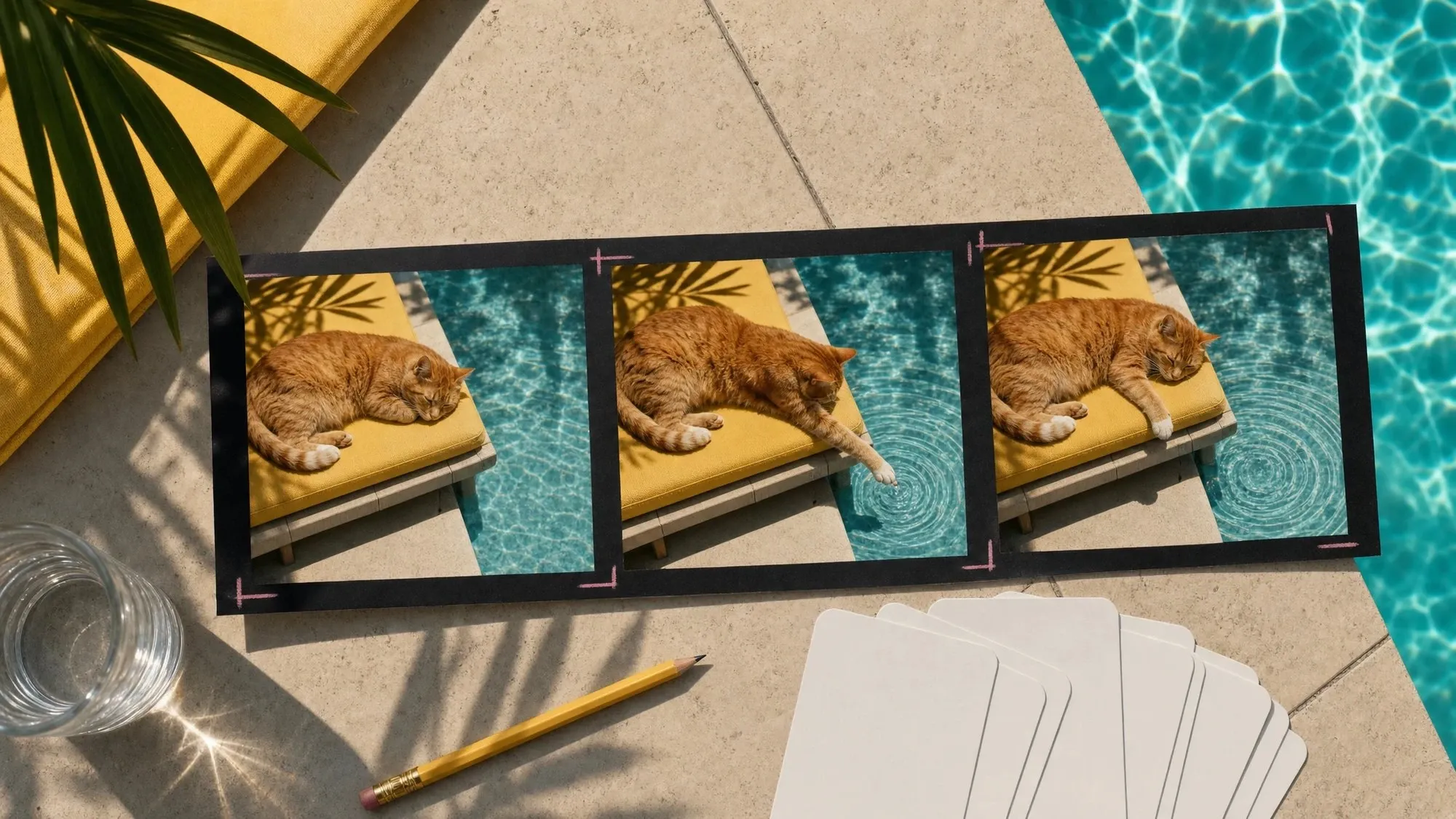
Start with a frame that has room to move
Choose a clear subject, a readable silhouette and some space around the action. A sharply cropped face gives the model less room for a camera move. If you want an orbit, include enough of the setting for the move to make sense.
Describe motion, not the photograph
The image already supplies color, composition and subject appearance. Use the prompt for what changes: “The cat stretches one paw; water ripples around the lounger; the camera drifts slowly overhead.” Avoid stacking an orbit, a zoom and a fast pan into the same short clip.
A reusable shot brief
Subject: a cat on a pool lounger. Action: a slow stretch. Environment: gentle water ripples. Camera: a steady overhead drift. Mood: relaxed summer afternoon. This five-part structure keeps each instruction connected to something visible.
Change one variable per version
Keep the reference and model fixed while testing the action. Then compare camera directions with the same action. Record the prompt and output settings so a better result is reproducible.
Before you export
Check the first and last frame, face or product consistency, unexpected text, edge warping and abrupt camera movement. A visually appealing preview still needs a full playback review.
PUT THE IDEA INTO PRACTICE